Plenty of moving companies run their pricing out of a spreadsheet. It works, it is familiar and it costs nothing. So when is a spreadsheet enough, and when does a tool that lives inside Granot make more sense? Here is a fair comparison.
Where a spreadsheet is strong
- Flexible. You can change a rate, add a column or build a whole new pricing model in an afternoon.
- Familiar. Everyone has used one.
- Cheap. No subscription.
- Private. The numbers live where you put them.
For a small shop with one person quoting, a good spreadsheet can be enough.
Where it starts to cost you
- Copy and paste. Someone has to read the number off the sheet and type it into Granot. Every re-keyed number is a chance for a typo.
- Version drift. A rate gets updated on one person's copy and not another's. Two reps quote the same job at two prices.
- Dates and surcharges. A sheet only applies a weekend or summer rule if someone built it in and remembers to enter the date correctly.
- No paper trail. The quote is in the sheet. The reason for the price is not in the job.
- Deposits. The deposit still gets calculated and typed in by hand.
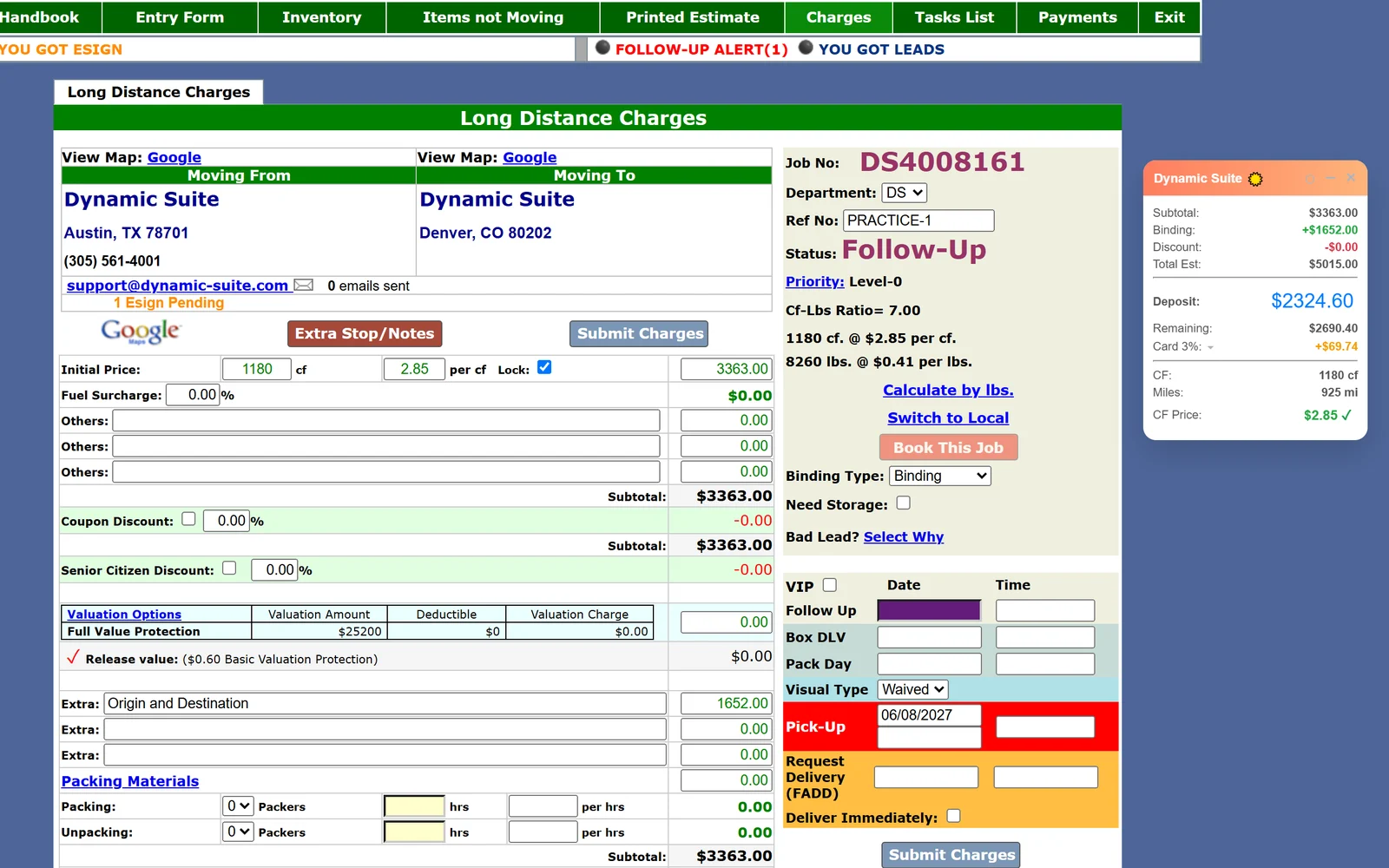
What an extension changes
A Chrome extension sits on the Granot charges page itself, so it works from the live job instead of from numbers someone retypes. Dynamic Suite PRO reads the cubic feet and miles on the page, works out the rate, applies the date surcharges, and fills the price, binding type and remarks with one click, and optional switches add the lines that are easy to forget, such as free storage, full pack, a state discount and the binding fee, which is especially useful for newer reps who are not yet sure how to set them. A second click handles the deposit. Because it is one tool for the whole team, everyone quotes from the same rules.
Side by side
| Spreadsheet | Chrome extension | |
|---|---|---|
| Setup | Build it yourself | Install and sign in |
| Flexibility | Very high | Set by the tool |
| Speed per job | Look up, copy, type | One click |
| Surcharges | Only if built in and used correctly | Applied automatically from the date |
| Consistency across reps | Depends on who has which copy | One set of rules for everyone |
| Records | In the sheet | Written into the job remarks |
| Cost | Free | Monthly subscription |
How to decide
- Stay with the spreadsheet if one person quotes, your pricing changes constantly, and you want full control of every formula.
- Consider an extension if several reps quote, jobs are booked fast, you have been bitten by missed surcharges or deposit errors, or you want the quote written into the job automatically.
Many companies start with a spreadsheet and move when the volume and the number of reps make mistakes expensive.
Frequently asked questions
Can I keep my own pricing?
The extension applies the pricing rules your account is configured with. Ask us how your office's rates would be handled before you commit.
Is there a trial?
Yes, 14 days free.
What if my Granot looks different?
Charges pages can be arranged differently from office to office. Tell us about your setup before rolling it out to the whole team.
See it on one real job
Start your 14-day free trial and try Dynamic Suite PRO on a live charges page.
Install free on Chrome